
![Verdaccio]() Verdaccio
Verdaccio
Container
Private npm registry and caching proxy: publish your own packages to it, and install everything else through it so npmjs downloads get cached locally. Works with npm, yarn and pnpm. Source: https://github.com/verdaccio/verdaccio
Image details
Source details
Configuration
TypeContainerlinuxverdaccio/verdaccio:64873:4873/tcp/verdaccio/storageunless-stoppedTemplate by NotAFlightRisk
Report issueNotes
http://<your-host>:4873 to browse packages, and point npm at it with npm config set registry http://<your-host>:4873/. Anything it doesn't host comes from npmjs and gets cached. There's no admin: npm login --registry http://<your-host>:4873/ makes an account the first time, and any account can publish and unpublish any package. Sign-ups stay open and packages can be read without logging in, which is upstream's default and only changes in its config.yaml, so keep it on your own network. Authors with an email get their avatar from Gravatar in the web UI. Accounts, packages, the npmjs cache and the generated token secret live in the volume. Docs: verdaccio.orgStandalone Install
Select an install method, to see config/commands for deploying Verdaccio
Install on Portainer
Import all app templates into your Portainer instance, for easy 1-click deploys
- Ensure both Docker and Portainer are installed, and up-to-date
- Log into your Portainer web UI
- Under Settings → App Templates, paste the below URL
- Head to Home → App Templates, and the list of apps will show up
- Select Verdaccio, fill in any config options, and hit Deploy
Template Import URL
https://raw.githubusercontent.com/Lissy93/portainer-templates/main/templates.json
Show Me

More install options in our documentation, or see verdaccio/verdaccio for app-specific guidance.

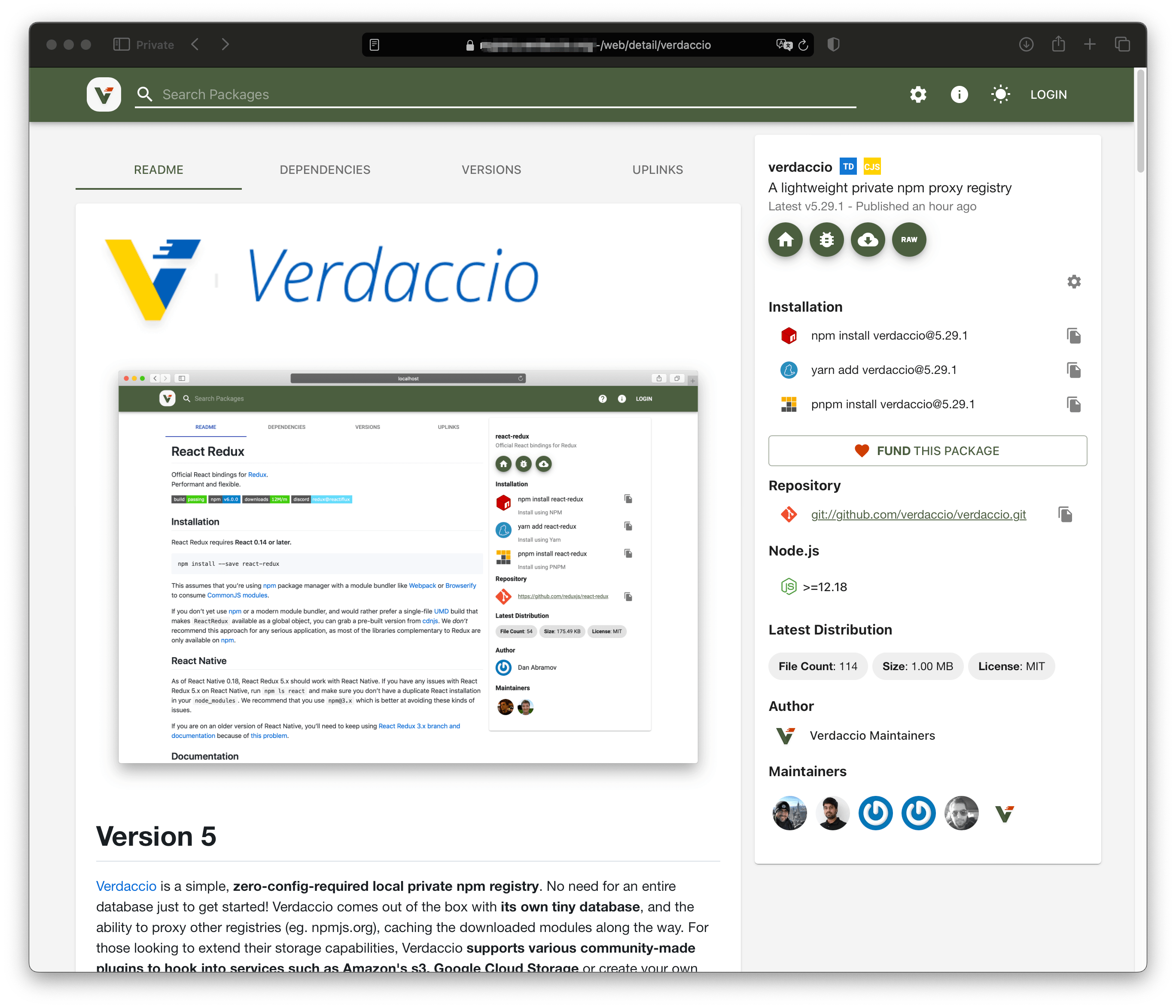
Version 4
Verdaccio is a simple, zero-config-required local private npm registry. No need for an entire database just to get started! Verdaccio comes out of the box with its own tiny database, and the ability to proxy other registries (eg. npmjs.org), caching the downloaded modules along the way. For those looking to extend their storage capabilities, Verdaccio supports various community-made plugins to hook into services such as Amazon's s3, Google Cloud Storage or create your own plugin.









Install
Install with npm:npm install --global verdaccioDonations
Verdaccio is run by volunteers; nobody is working full-time on it. If you find this project to be useful and would like to support its development, consider making a donation - your logo might end up in this readme. 😉Donate 💵👍🏻 starting from $1/month or just one single contribution.
What does Verdaccio do for me?
Use private packages
If you want to use all benefits of npm package system in your company without sending all code to the public, and use your private packages just as easy as public ones.Cache npmjs.org registry
If you have more than one server you want to install packages on, you might want to use this to decrease latency
(presumably "slow" npmjs.org will be connected to only once per package/version) and provide limited failover (if npmjs.org is down, we might still find something useful in the cache) or avoid issues like *[How one developer just broke Node, Babel and thousands of projects in 11 lines of JavaScript](https://www.theregister.co.uk/2016/03/23/npm_left_pad_chaos/)*, *[Many packages suddenly disappeared](https://github.com/npm/registry-issue-archive/issues/255)* or *[Registry returns 404 for a package I have installed before](https://github.com/npm/registry-issue-archive/issues/329)*.
Link multiple registries
If you use multiples registries in your organization and need to fetch packages from multiple sources in one single project you might take advance of the uplinks feature with Verdaccio, chaining multiple registries and fetching from one single endpoint.Override public packages
If you want to use a modified version of some 3rd-party package (for example, you found a bug, but maintainer didn't accept pull request yet), you can publish your version locally under the same name. See in detail here.E2E Testing
Verdaccio has proved to be a lightweight registry that can be booted in a couple of seconds, fast enough for any CI. Many open source projects use verdaccio for end to end testing, to mention some examples, create-react-app, mozilla neutrino, pnpm, storybook, alfresco or eclipse theia. You can read more in dedicated article to E2E in our blog.Talks
Don't miss the last talk at OpenJS World 2020 about Cover your Projects with a Multi purpose Lightweight Node.js Registry.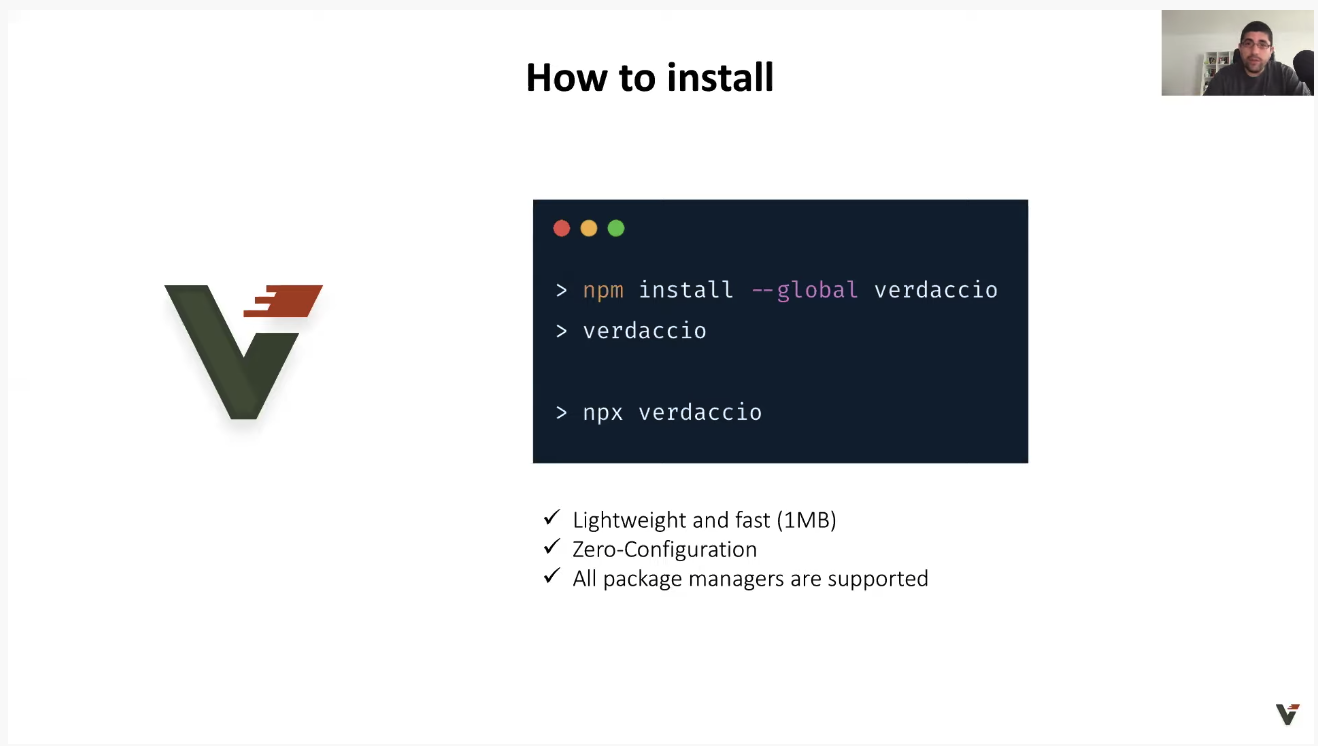
You might want to check out as well our previous talks:
- ViennaJS Meetup - Introduction to Verdaccio by Priscila Olivera and Juan Picado
- Open Source? trivago - Verdaccio (Ayush and Juan Picado) January 2020
- GitNation Open Source Stage - How we have built a Node.js Registry with React - Juan Picado December 2019
Get Started
Run in your terminalverdaccioYou would need set some npm configuration, this is optional.
$ npm set registry http://localhost:4873/For one-off commands or to avoid setting the registry globally:
NPM_CONFIG_REGISTRY=http://localhost:4873 npm iNow you can navigate to http://localhost:4873/ where your local packages will be listed and can be searched.
Warning: Verdaccio does not currently support PM2's cluster mode, running it with cluster mode may cause unknown behavior.
Publishing
- create a user and log in
npm adduser --registry http://localhost:4873if you use HTTPS, add an appropriate CA information ("null" means get CA list from OS)
$ npm set ca null- publish your package
npm publish --registry http://localhost:4873This will prompt you for user credentials which will be saved on the
verdaccio server.Docker
Below are the most commonly needed information, every aspect of Docker and verdaccio is documented separatelydocker pull verdaccio/verdaccioAvailable as tags.
docker pull verdaccio/verdaccio:4Running verdaccio using Docker
To run the docker container:docker run -it --rm --name verdaccio -p 4873:4873 verdaccio/verdaccioDocker examples are available in this repository.
Compatibility
Verdaccio aims to support all features of a standard npm client that make sense to support in private repository. Unfortunately, it isn't always possible.Basic features
- Installing packages (npm install, npm upgrade, etc.) - supported
- Publishing packages (npm publish) - supported
Advanced package control
- Unpublishing packages (npm unpublish) - supported
- Tagging (npm tag) - supported
- Deprecation (npm deprecate) - supported
User management
- Registering new users (npm adduser {newuser}) - supported
- Change password (npm profile set password) - supported
- Transferring ownership (npm owner add {user} {pkg}) - not supported, PR-welcome
- Token (npm token) - (more info #1427) - supported
Miscellany
- Searching (npm search) - supported (cli / browser)
- Ping (npm ping) - supported
- Starring (npm star, npm unstar, npm stars) - supported
Security
- npm/yarn audit - supported
Report a vulnerability
If you want to report a security vulnerability, please follow the steps which we have defined for you in our security policy.Core Team
The core team is responsible for driving this project ahead, team is ordered by antiquity and areas of responsibility.| Juan Picado | Ayush Sharma | Sergio Hg |
|---|---|---|
 |  |  |
| @jotadeveloper | @ayusharma | @sergiohgz |
| All areas | All areas | Docker,Builds,Stack, Monorepo |
| Priscila Oliveria | Daniel Ruf | |
 |  | |
| @priscilawebdev | @DanielRufde | |
| UI, Stack | All areas |
You can find and chat with then over Discord, click here or follow them at Twitter.
Who is using Verdaccio?
- create-react-app (+73.5k ⭐️)
- Gatsby (+48k ⭐️)
- Babel.js (+35k ⭐️)
- Vue CLI (+26k ⭐️)
- Angular CLI (+24k ⭐️)
- Uppy (+23k ⭐️)
- Aurelia Framework (+12k ⭐️)
- bit (+12k ⭐️)
- ethereum/web3.js (+8k ⭐️)
- pnpm (+9.1k ⭐️)
- ethereum/web3.js (+9.4k ⭐️)
- NX (+5.2k ⭐️)
- webiny-js (+3.7k ⭐️)
- Mozilla Neutrino (+3k ⭐️)
- Hyperledger Composer (+1.6k ⭐️)
- webiny-js (+1k ⭐️)
- Amazon SDK v3
- Amazon Encryption SDK for Javascript
- workshopper how to npm
🤓 Don't be shy, you also can be in the list.
Open Collective Sponsors
Support this project by becoming a sponsor. Your logo will show up here with a link to your website. Become a sponsor









Open Collective Backers
Thank you to all our backers! 🙏 Become a backer
Special Thanks
Thanks to the following companies to help us to achieve our goals providing free open source licenses.



Contributors
This project exists thanks to all the people who contribute. Contribute.
FAQ / Contact / Troubleshoot
If you have any issue you can try the following options, do no desist to ask or check our issues database, perhaps someone has asked already what you are looking for.License
Verdaccio is MIT licensedThe Verdaccio documentation and logos (excluding /thanks, e.g., .md, .png, .sketch) files within the /assets folder) is Creative Commons licensed.
Serve Verdaccio on your own domain behind Caddy, Nginx or Traefik. Fill in your domain and copy the result. It's a starting point, some apps need their own base URL or extra headers set too.
Proxying verdaccio.example.com to http://verdaccio:4873
Add this to your Caddyfile
verdaccio.example.com {
	reverse_proxy http://verdaccio:4873
}Check the logs first
Nine times out of ten the logs tell you exactly what went wrong.
- In Portainer, go to Containers, click the container, then Logs. Or run
docker logs verdaccio - Exit codes help too:
137means killed, usually out of memory.126or127means the command inside the image is broken.
Port already in use
If deployment fails with "Bind for 0.0.0.0:4873 failed: port is already allocated", something else on your server is using that port.
- Find what's using it:
sudo ss -tlnp | grep :4873 - Stop the other service, or pick a different host port. In
4873:4873only the left number is yours to change, the right one belongs to the app.
Running but the page won't load
The container is up but nothing appears in your browser.
- Use your server's real IP:
http://your-server-ip:4873. The 0.0.0.0 link Portainer shows isn't a real address. - Give it a minute after first deploy, verdaccio can take a while to initialise.
- Make sure your firewall allows the port, e.g.
sudo ufw allow 4873
Image won't pull
Test the pull directly on the host: docker pull verdaccio/verdaccio:6
- "manifest unknown" means the tag no longer exists.
- "toomanyrequests" is the Docker Hub rate limit. Log in with
docker loginto raise it. - "no space left on device" means a full disk. Reclaim space with
docker system prune
"exec format error"
This means the image was built for a different CPU architecture than your server.
- This image supports:
amd64, arm64 - Check yours with
uname -m: x86_64 is amd64, aarch64 is arm64. Raspberry Pi and other ARM boards are the usual culprits.
Container keeps restarting
The unless-stopped restart policy relaunches the app after every crash, so the real error can scroll past.
- Check the logs right after a restart, the last few lines before it died are the useful ones.
- Get the exit code with
docker inspect verdaccio --format '{{.State.ExitCode}}' - Still stuck? Redeploy once with the restart policy set to
noso the failure stays visible.
Raise an issue
Found something which isn't working as it should? Here's how to report it.
- Bug within the app: Open an issue on verdaccio/verdaccio
- Template not working: Open an issue on NotAFlightRisk/portainer-templates-extras
- This website not working: Open an issue on lissy93/portainer-templates
A single container
Verdaccio runs as one container, the simplest kind of app here. Just the one image to pull and nothing else wired up alongside it.
The app image
An image is the app packed up ready to go, everything Verdaccio needs bundled into one download. This template pulls verdaccio/verdaccio:6, which Docker fetches once (about 68 MB) and then starts your own copy from.
Where the image comes from
Docker pulls its images from registries, public libraries of ready-built apps. Verdaccio's comes from Docker Hub, published by verdaccio.
Version tags
The bit after the colon in the image name is the version tag. This one pins 6, so every redeploy gives you that exact build until you bump it yourself.
Which machines it runs on
Every image is built for particular CPU types. This one ships for amd64, arm64, so it runs on both regular x86 servers and ARM boards like a Raspberry Pi.
Ports
A port is the door the app answers on. A mapping like 4873:4873 means it's reachable on port 4873 of your server, where the left number is yours to change and the right one belongs to the app. It opens:
4873:4873
Volumes
A volume is where Verdaccio keeps its files so they survive an update or a restart. Without one, anything it saves would sit inside the container and vanish the moment it's recreated. This template mounts:
/verdaccio/storageas a volume Docker manages for you
Restart policy
The restart policy here is unless-stopped, so Docker restarts Verdaccio after a crash or reboot, but leaves it off when you stop it on purpose. You can change this on the deploy screen. The choices are no (never restart), on-failure (only after a crash), unless-stopped (restart unless you stop it), and always (bring it back no matter what).
Networking
Nothing custom is set, so Verdaccio sits on Docker's default bridge network: its own private space that reaches the outside world only through the ports it publishes.
Container name
Once it's deployed, Portainer names the container verdaccio. That's what you'll spot in the containers list and use in commands like docker logs verdaccio.
Platform
The platform is linux, the kind of system the container is built to run on. Docker and Portainer handle this on a normal Linux server.
Open source license
Verdaccio is open source, released under the MIT license. In plain terms the code is out in the open, so you're free to run it and change it to fit what you need.
Portainer app templates
Zooming out, this whole page comes from a Portainer app template: a short recipe telling Portainer how to set Verdaccio up. Add the template list to Portainer once, then deploying Verdaccio is a click rather than a wall of config.