
![Gaps]() Gaps
Gaps
Container
Gaps searches through your Plex Server or local folders for all movies, then queries for known movies in the same collection.
Image details
Configuration
TypeContainerhousewrecker/gaps:latest8484/tcpTZ=America/Los_Angelestraefik.enable=truetraefik.http.services.gaps.loadbalancer.server.port=8484traefik.http.routers.gaps.entrypoints=websecuretraefik.http.routers.gaps.tls.certresolver=mydnschallengeTemplate by mediadepot
Report issueStandalone Install
Select an install method, to see config/commands for deploying Gaps
Install on Portainer
Import all app templates into your Portainer instance, for easy 1-click deploys
- Ensure both Docker and Portainer are installed, and up-to-date
- Log into your Portainer web UI
- Under Settings → App Templates, paste the below URL
- Head to Home → App Templates, and the list of apps will show up
- Select Gaps, fill in any config options, and hit Deploy
Template Import URL
https://raw.githubusercontent.com/Lissy93/portainer-templates/main/templates.json
Show Me

More install options in our documentation.

Gaps
 ()
()

Unfortunately, I no longer have the time to maintain Gaps and it is no longer under active development.
Gaps searches through your Plex Server or local folders for all movies, then queries for known movies in the same collection. If those movies don't exist in your library, Gaps will recommend getting those movies, legally of course.
<br> 📝 Table of Contents
🧐 About
Gaps is a FOSS application. An example of Gaps running would be having a copy of 'Alien (1979)' and Gaps recommending 'Aliens (1986)' and 'Alien³ (1992)' to be added to your collection.🏁 Getting Started
These instructions will get you a copy of the project up and running on your local machine for development and testing purposes. See deployment for notes on how to deploy the project on a live system.Prerequisites
What things you need to install the software and how to install them.Option 1
Gaps can run in Docker. If you choose to run this way, you'll need a Docker environment installed. Docker has a good write up on installing Docker CE. Check it out here. Once you get docker up and running
Option 2
Gaps can run as an exe on Windows. GapsOnWindows can be found on the releases page. Gaps-{version}.zip.
Installing
With Docker installed, you'll need to now pull down the latest Gaps image. The Gaps image is hosted here. To pull the image, run the following command in a terminalIf you are running an x86 machine, use this command.
docker pull housewrecker/gaps:latestIf you are running an ARM machine, use this command.
docker pull housewrecker/gaps:arm-latestWith the image pulled, now you can run the container.
Note: 8484 is used internally by gaps. Externally, any available host port can be used. This can be configured by changing -p {valid port number}:8484
docker run -d -p 8484:8484 --name mygaps --expose 32400 -v /{localFolder}/gaps:/usr/data housewrecker/gaps:latestOpen your browser and navigate to, http://{IPADDRESS}:8484
If everything worked, you will be greeted by the gaps home page.

🎈 Usage
Home Page
Click the Settings tab to set up Gaps.
Settings
TMDB
First, you need to enter your The Movie Database (TMDB) API Key. As noted on the page, to use Gaps, you'll need a MovieDB API key. Navigate over to The Movie DB, create an account, and make an API Key. Copy that key and paste it below.With your TMDB key added, now you need to configure the information to connect to Plex.
Click the Test button to confirm your key works.
Click the Save button to add your key.
Click the Plex tab to set up Gaps.
Plex

Now you'll need to configure how to connect Gaps to Plex. This includes three main things: the host/IP address of Plex, the port Plex uses, and your personal Plex Token.
The host/IP address and port are the same ones you use to connect to Plex via the web. It could look something like this
https://localhost:32400/web/index.html
https://127.0.0.1:32400/web/index.html
https://192.168.1.10:32400/web/index.htmlLastly, you'll need to get your personal Plex Token. If you do not know already it's easy to find. Plex has a great write up here about how to find your token.
Click the Test button to confirm your Plex server configuration works.
Click the Save button to add your Plex server.
Folders
Note: Right now only searching via Plex is working. In time, I'll add back in searching by folder.Network

Increase the timeout if Plex connection is on a remote network and timeouts are occurring.
Libraries
Click the Libraries tab to set up Gaps.If you have more than one Movie Library or Plex Server, the dropdown lets you pick the Server and Library to search from.
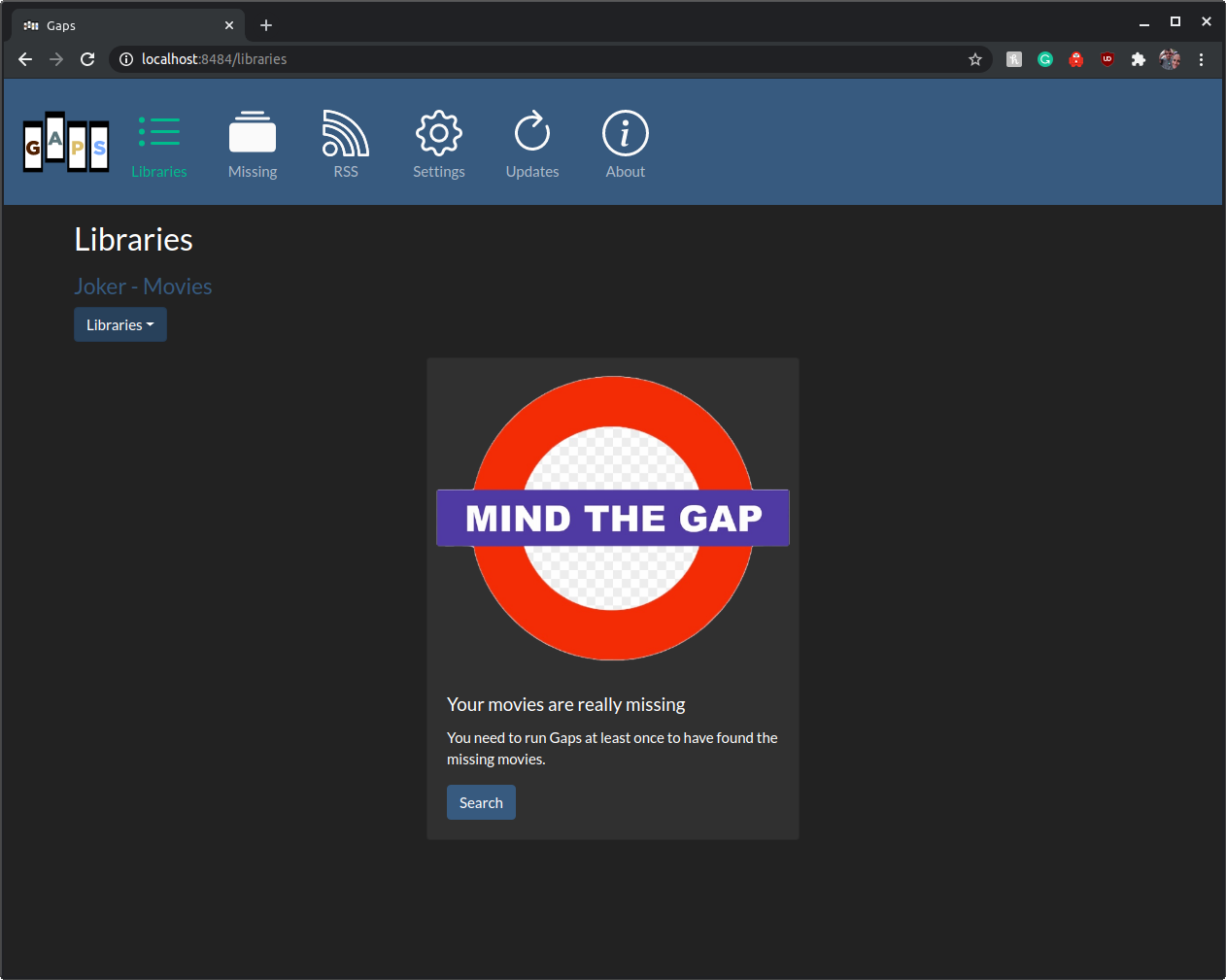
Click the Search button to find your Plex Movies.
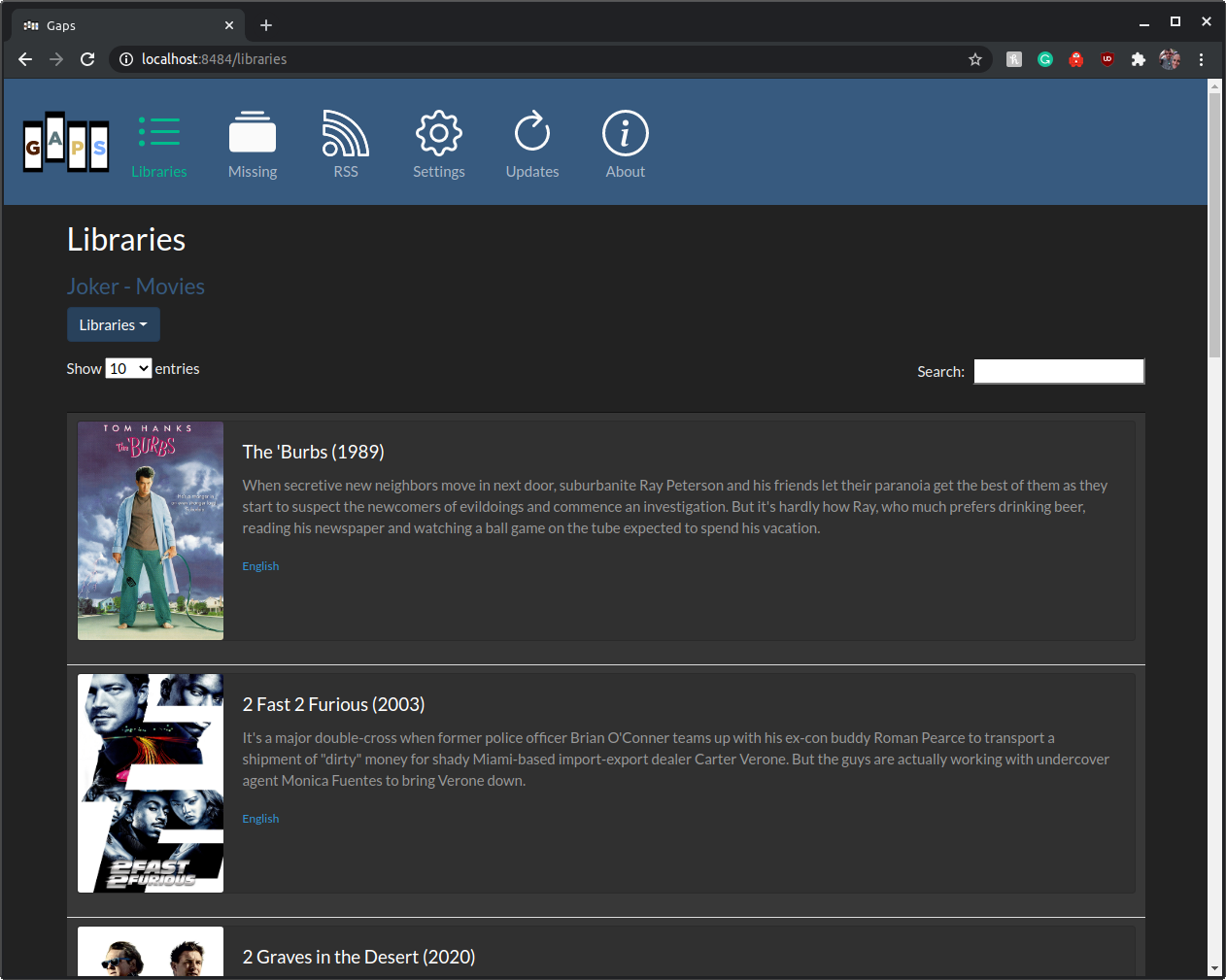
Gaps will display the movies found in the Plex Server Library.
Note: Rerun this step for each server you want Gaps to find the missing movies in.
Click the Recommended tab to set up Gaps.
Missing
Once you've started searching, the movies will start populating on the final page.
Click the Search button to find your missing movies.

For large libraries, this can take a while to run. The results are stored and only need to be rerun when Plex updates. Missing movies are added as found. Do not navigate away. Gaps will still run but you'll have to check logs to know when it is complete. It is currently easier to just leave the page open. Fixes for this are coming soon.
Recommended and RSS

Once you've completed at least one search of your plex libraries, you can then view and use the output as RSS.
⛏️ Built Using
- jQuery - JS Framework
- Bootstrap - UI Framework
- Spring Boot - Server Framework
- NodeJs - Testing and Build Environment
✍️ Authors
- @JasonHHouse - Idea & Initial work
🎉 Acknowledgements
- @Knoxie Developer, testing, and support
- Inspiration
- A missing feature from PlexServe Gaps on your own domain behind Caddy, Nginx or Traefik. Fill in your domain and copy the result. It's a starting point, some apps need their own base URL or extra headers set too.
Proxying gaps.example.com to http://gaps:8484
Add this to your Caddyfile
gaps.example.com {
	reverse_proxy http://gaps:8484
}Check the logs first
Nine times out of ten the logs tell you exactly what went wrong.
- In Portainer, go to Containers, click the container, then Logs. Or run
docker logs gaps - Exit codes help too:
137means killed, usually out of memory.126or127means the command inside the image is broken.
Published on a random port
This template exposes 8484/tcp without setting a host port,
so Docker picks a random free one on every deploy.
- Find it in the Ports column of Portainer's container list, or with
docker port gaps
Image won't pull
Test the pull directly on the host: docker pull housewrecker/gaps:latest
- "manifest unknown" means the tag no longer exists. This template uses
latest, so try pinning a specific version instead. - "toomanyrequests" is the Docker Hub rate limit. Log in with
docker loginto raise it. - "no space left on device" means a full disk. Reclaim space with
docker system prune
"exec format error"
This means the image was built for a different CPU architecture than your server.
- This image supports:
amd64, arm64, arm/v7, ppc64le, s390x, riscv64, arm - Check yours with
uname -m: x86_64 is amd64, aarch64 is arm64. Raspberry Pi and other ARM boards are the usual culprits.
Data disappears when the container is recreated
This template doesn't define any volumes, so everything gaps saves lives inside the container and is lost on update or recreate.
- Add a volume mapping for gaps's data folder before storing anything you care about.
Raise an issue
Found something which isn't working as it should? Here's how to report it.
- Bug within the app: Open an issue within gaps's repo
- Template not working: Open an issue on mediadepot/templates
- This website not working: Open an issue on lissy93/portainer-templates
A single container
Gaps runs as one container, the simplest kind of app here. Just the one image to pull and nothing else wired up alongside it.
The app image
An image is the app packed up ready to go, everything Gaps needs bundled into one download. This template pulls housewrecker/gaps:latest, which Docker fetches once (about 131 MB) and then starts your own copy from.
Where the image comes from
Docker pulls its images from registries, public libraries of ready-built apps. Gaps's comes from Docker Hub, published by housewrecker.
Version tags
The bit after the colon in the image name is the version tag. Here it's latest, which always points at the newest build, so a redeploy can bump you to a newer release without you asking. Newest right now is v0.9.12. Pin a specific tag if you would rather stay on one version.
Which machines it runs on
Every image is built for particular CPU types. This one ships for amd64, arm64, arm/v7, ppc64le, s390x, riscv64, arm, so it runs on both regular x86 servers and ARM boards like a Raspberry Pi.
Ports
A port is the door the app answers on. Here the app exposes a port but leaves the host side blank, so Docker picks a free one for you. It opens:
8484, published on a random host port
No stored data
This template doesn't mount any storage, so whatever Gaps writes stays inside the container and is wiped if it's recreated or updated. That's fine for something stateless, but add a volume before trusting it with anything you want to keep.
Environment variables
Environment variables are the settings you hand over when you deploy, things like a password or a timezone. Gaps takes 1 of them, all with defaults you can leave alone or tweak:
TZ, defaults toAmerica/Los_Angeles
Networking
Nothing custom is set, so Gaps sits on Docker's default bridge network: its own private space that reaches the outside world only through the ports it publishes.
Container name
Once it's deployed, Portainer names the container gaps. That's what you'll spot in the containers list and use in commands like docker logs gaps.
Labels
Labels are small notes pinned to the container. They don't change how Gaps behaves, but other tools read them, most often a reverse proxy like Traefik working out which apps to route where. This template sets:
traefik.enable=truetraefik.http.services.gaps.loadbalancer.server.port=8484traefik.http.routers.gaps.entrypoints=websecuretraefik.http.routers.gaps.tls.certresolver=mydnschallenge
Portainer app templates
Zooming out, this whole page comes from a Portainer app template: a short recipe telling Portainer how to set Gaps up. Add the template list to Portainer once, then deploying Gaps is a click rather than a wall of config.